
The Hog Report / Reference Shelf
Single Page Resume Template
The template on ResumeHog that gets your resume onto one page by editing the content, never by shrinking the type.
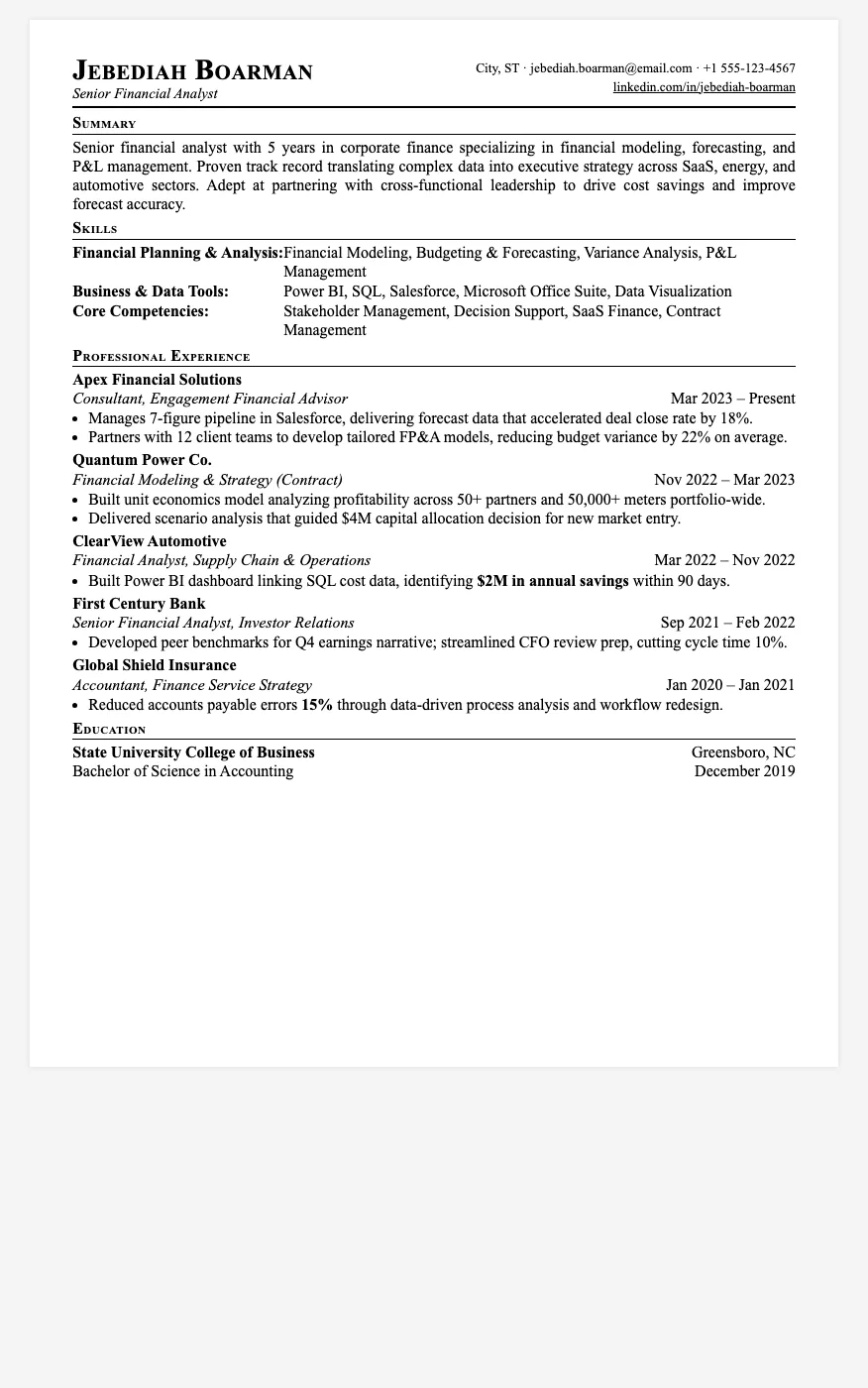
Most "one-page" resumes get there by dropping the font to 9pt and squeezing the margins. Recruiters notice, and so do applicant tracking systems that parse cramped text badly. The Single Page template on ResumeHog does the opposite: it keeps 12pt Times New Roman and makes the content fit instead.
How Single Page Fits Everything on One Page
When you pick Single Page, the AI follows a fixed order of edits and stops as soon as the resume fits:
- Every job from the last five years goes in first: nothing recent is dropped up front
- Summary trimmed to two or three sentences: who you are, your years of experience and your top value for this specific role
- Two tight bullets per job: each one a past-tense action verb plus a quantified result, short enough to stay on one line, cut to one bullet on older roles if needed
- Skills limited to three rows: four or five of the skills most relevant to the job description in each
- Older or less relevant jobs removed last: only if the steps above still overflow, and never a job from the last two years unless there is no other way
The goal runs both ways: the page should be 90 to 100 percent full. A half-empty page is treated as just as wrong as a two-page overflow, and the PDF export enforces the one-page limit.
Who Should Use Single Page?
- Students, new graduates and early-career applicants
- Anyone applying where a one-page resume is expected, such as many finance, consulting and campus roles
- Experienced candidates who need a short version for a referral, career fair or networking event
- People whose current resume spills two lines onto page two
The design is classic: small-caps section headings, thin rules, and dates aligned right, the look recruiters in traditional industries expect.
How It Works with ResumeHog
Single Page is a premium template. Upload your resume and paste the job description into ResumeHog, choose Single Page in the template picker, and the AI tailors your content to the job while editing it down to exactly one page. Free accounts can use every other template; see ResumeHog pricing for the premium plan.
Start a One-Page Resume on ResumeHog